Screen Recorder with Touch Indicators for iPhone

Feature Demo 0:30

Make Every Touch Visible

When recording tutorials or product demos on your iPhone, viewers need to see exactly where you're tapping. Without visible touch indicators, your audience can easily get lost, missing crucial interactions and struggling to follow along.

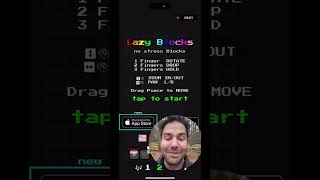
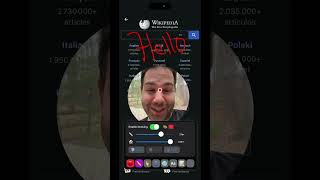
DemoScope solves this problem with beautiful, customizable touch indicators that highlight every tap, swipe, and gesture in your screen recordings. Unlike basic screen recorders that capture only the visual result of your touches, DemoScope shows the touches themselves.

Touch Indicator Features

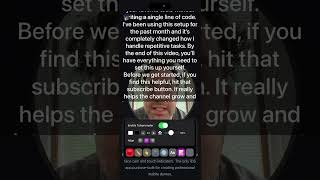
  • 6 Vibrant Colors - Choose from purple, blue, green, yellow, orange, or red to match your brand
  • Adjustable Size - Make indicators larger for visibility or smaller for subtlety
  • Smooth Animations - Touch indicators appear and fade with fluid animations
  • Multi-Touch Support - All simultaneous touches are shown, perfect for demonstrating gestures
  • Works Everywhere - Indicators appear over any content you're recording

Why Touch Indicators Matter

Professional tutorial creators know that visible touches are essential for educational content. When viewers can see exactly where and when you tap, they learn faster and make fewer mistakes when following along. Touch indicators transform confusing demonstrations into clear, easy-to-follow guides.

Combined with DemoScope's face cam overlay, touch indicators create the ultimate tutorial experience. Your viewers see your face explaining concepts while clearly visible touches guide them through each step of the process.

Try Touch Indicators Free

Download DemoScope and see how touch indicators improve your screen recordings.

Download DemoScope - Screen Recorder with Touch Indicators